Export Records to CSV
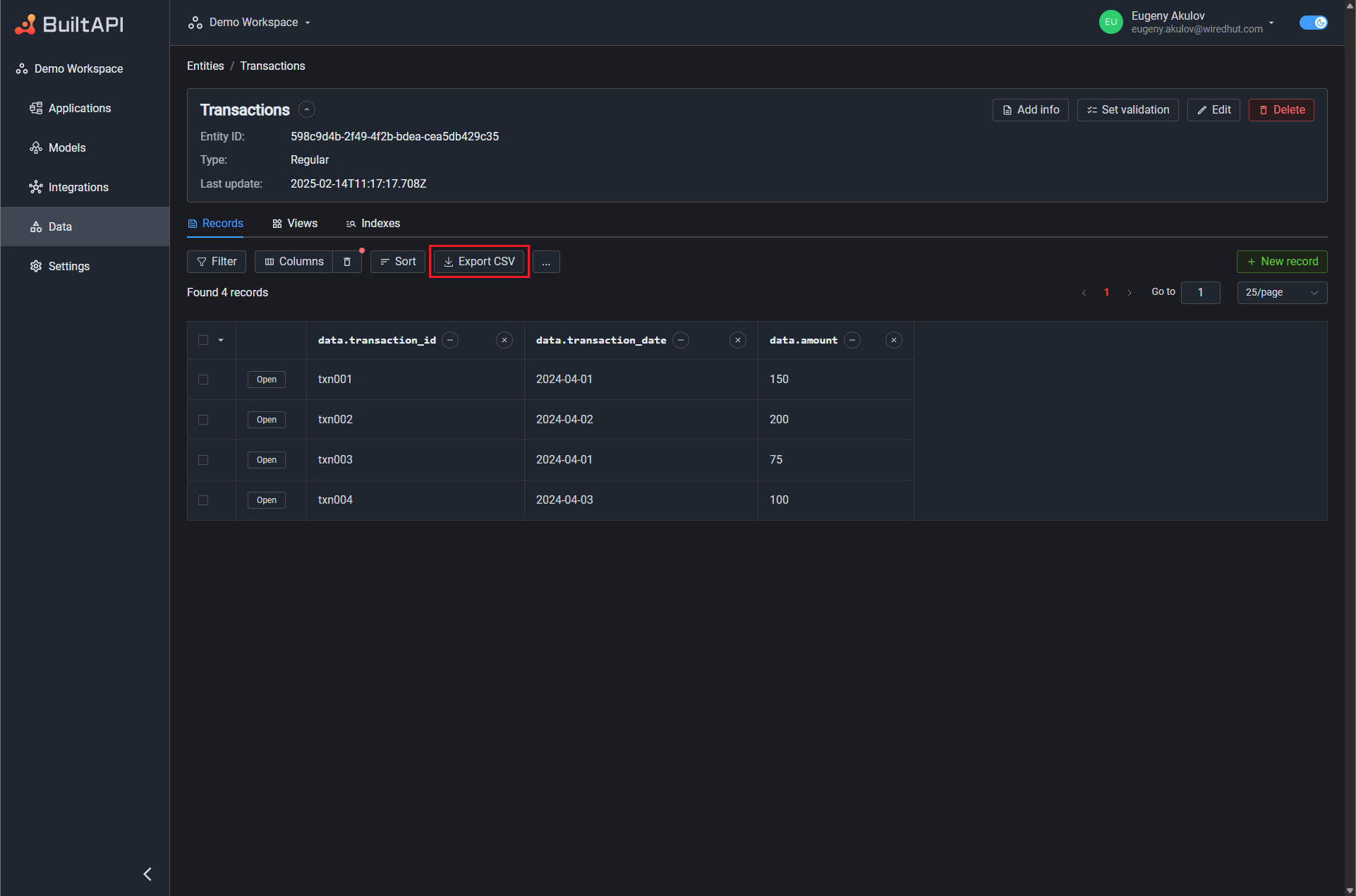
Export Records to CSV allows you to download filtered records from an Entity or View as a CSV file. The feature is available on the Records page, next to the Sort button.
Prerequisites
Before you can export records, you must configure Columns for the records table using the Manage Columns feature. The Export CSV button remains disabled until at least one column is selected.
The columns you have selected in the records table define which fields will be included in the exported CSV file.
Accessing CSV Export
- Navigate to the Data section in the sidebar.
- Select an Entity or View from the list.
- Make sure columns are configured via Manage Columns.
- Optionally, apply a filter using the Query Builder to narrow down the records you want to export.
- Click the Export CSV button located to the right of the Sort button in the toolbar.
Export Drawer
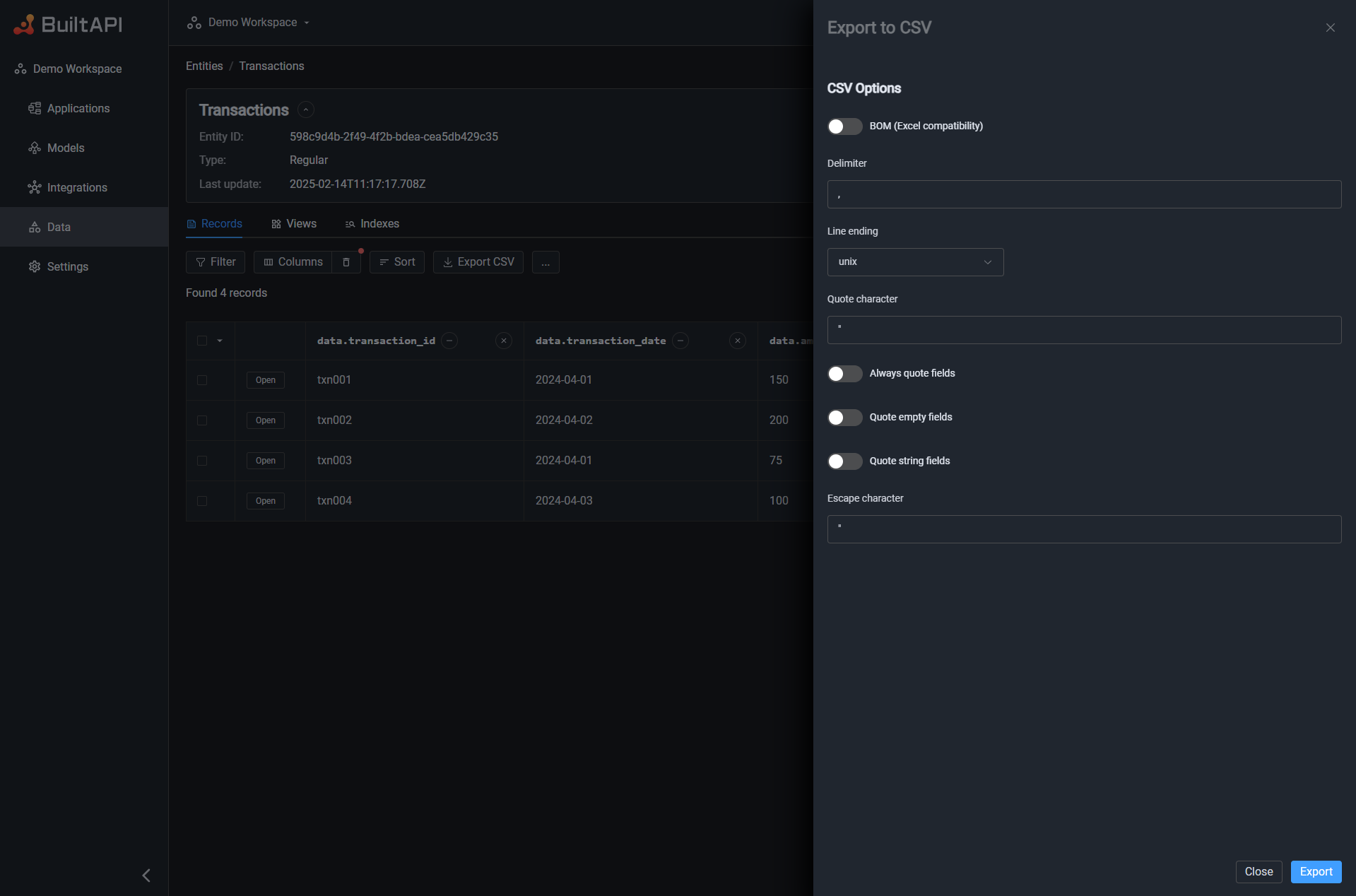
Clicking the Export CSV button opens a Drawer panel with CSV export settings. The drawer allows you to customize the output format before downloading the file.
CSV Settings
| Setting | Description | Default |
|---|---|---|
| Delimiter | Field separator character. Common values: , (comma), ; (semicolon), \t (tab) | , |
| BOM | Add UTF-8 BOM marker for Excel compatibility. Enable this if you plan to open the file in Excel. | Off |
| Record Delimiter | Line ending style: unix (LF), windows (CRLF), mac (CR), ascii, unicode | unix |
| Quote | Character used to quote field values | " |
| Escape | Character used to escape the quote character within fields | " |
| Quoted | Always wrap all fields in quotes | Off |
| Quoted Empty | Wrap empty fields in quotes | Off |
| Quoted String | Wrap all string fields in quotes | Off |
Exporting
Once you have configured the desired settings, click the Export button at the bottom of the Drawer. The browser will start downloading a CSV file.
The exported file name follows the pattern:
- For Entity records:
entity-<entityId>-<timestamp>.csv - For View records:
view-<viewId>-<timestamp>.csv
Export Limits
The maximum number of records that can be exported is 100,000. If your current query filter matches more than 100,000 records, the export will fail with an error message. Use the Query Builder to narrow down your results before exporting.
What Gets Exported
- Columns: Only the columns currently selected in the records table (via Manage Columns) are included in the CSV.
- Filter: The current Query Builder filter is applied — only matching records are exported.
- Sort: The current sort order is preserved in the exported file.
- Header row: Column names are always included as the first row of the CSV file.